
.png)
Description
Download AutoPitch – AI‑Powered Technical Communication Tool
Overview
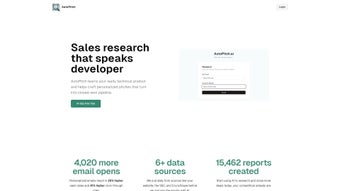
AutoPitch is a cutting‑edge web‑based AI application designed to streamline the creation of technical outbound messages. Tailored for professionals in IT, engineering, data science, and related fields, AutoPitch converts raw technical details into clear, concise, and audience‑appropriate communications in seconds. By leveraging advanced natural‑language generation models, the platform reduces the manual effort traditionally required for drafting reports, incident notifications, client updates, and other technical correspondence. The subscription‑based service promises continuous improvement; as users interact with the system, the underlying AI learns context, terminology, and style preferences, delivering increasingly accurate results over time. Whether you need to explain a complex algorithm to a non‑technical stakeholder or summarize a network outage for senior management, AutoPitch offers a secure, reliable, and time‑saving solution that lets you focus on higher‑value tasks.
Key Features & Benefits
- AI‑Driven Message Generation: Input technical parameters, and AutoPitch instantly produces polished messages.
- Audience Adaptation: Choose the target reader (e.g., executives, peers, customers) and receive tone‑adjusted content.
- Template Library: Pre‑built templates for incident reports, project updates, release notes, and more.
- Learning Engine: The AI refines its output based on user feedback, ensuring progressive quality.
- Secure Cloud Architecture: All data is encrypted in transit and at rest, meeting industry‑standard compliance.
- Multi‑Language Support: Generate messages in several major languages, useful for global teams.
- Version Control & History: Track changes and revert to previous drafts effortlessly.
- Integration Hooks: Connect with Slack, Microsoft Teams, Jira, and other collaboration tools via API.
Why AutoPitch Stands Out
From a productivity standpoint, AutoPitch can cut drafting time by up to 70 %. The AI’s ability to contextualize jargon makes it especially valuable for cross‑functional teams where technical fluency varies. Because the platform is web‑based, there is no need for local installations or hardware constraints; users can access it from any browser, ensuring consistency across Windows, macOS, Linux, Android, and iOS environments. Moreover, the subscription model includes regular updates and new template releases, keeping the tool aligned with evolving industry standards. The combination of speed, accuracy, and security positions AutoPitch as a strategic asset for any organization that relies heavily on precise technical communication.
Pros & Cons
- Pros:
- Significant time savings on drafting.
- AI learns from user feedback, improving over time.
- Secure, GDPR‑compliant data handling.
- Extensive template library reduces guesswork.
- Easy integration with popular collaboration tools.
- Cons:
- Requires an internet connection; offline mode not available.
- Initial subscription cost may be higher for small teams.
- AI may occasionally misinterpret highly niche terminology without sufficient training data.
Installation, Usage & Compatibility
Getting Started – Simple Web‑Based Setup
Because AutoPitch is a SaaS solution, there is no traditional installation process. Users begin by visiting the official website, creating an account, and selecting a subscription tier that matches their needs. After account verification, the dashboard becomes accessible instantly. For organizations that require single sign‑on (SSO), AutoPitch supports SAML and OAuth, allowing seamless integration with existing identity providers such as Azure AD or Okta.
Step‑by‑Step Usage Guide
- Log In: Use your credentials or corporate SSO to access the dashboard.
- Choose a Template: Select from the library (e.g., “Incident Report” or “Project Summary”).
- Enter Technical Data: Fill in fields such as system IDs, error codes, performance metrics, or project milestones.
- Select Audience & Tone: Pick “Executive,” “Technical Peer,” or “Customer” and set the desired formality level.
- Generate Message: Click “Create” and let the AI produce a polished draft within seconds.
- Review & Edit: Use the built‑in editor to fine‑tune phrasing, add attachments, or insert branding.
- Export or Share: Export to PDF, copy to clipboard, or push directly to Slack, Teams, or email via the integration hub.
Compatibility Across Platforms
AutoPitch runs entirely in modern browsers, making it universally compatible with the following operating systems:
- Windows 10, 11 (Chrome, Edge, Firefox)
- macOS 12 Monterey and later (Safari, Chrome, Firefox)
- Linux distributions with recent Chromium‑based browsers
- Android 9+ (Chrome mobile)
- iOS 13+ (Safari or Chrome)
The responsive design ensures that the interface scales gracefully on tablets and smartphones, allowing field engineers or remote data scientists to generate messages on the go. All data transmissions are protected with TLS 1.3 encryption, and the backend resides on ISO‑27001‑certified cloud infrastructure, guaranteeing both performance and security.
FAQ & Conclusion
Is AutoPitch suitable for non‑technical users?
Yes. AutoPitch offers audience‑specific tone settings that simplify complex jargon into plain language, making it ideal for managers, sales teams, or customers who need clear explanations of technical topics.
How does the AI handle confidential data?
All inputs are encrypted during transmission and stored using AES‑256 encryption. AutoPitch does not retain message content after the session unless the user explicitly saves it to the platform’s secure history.
Can AutoPitch be integrated with existing ticketing systems?
Absolutely. The platform provides RESTful APIs and pre‑built connectors for Jira, ServiceNow, and Zendesk, allowing automatic generation of ticket updates directly from the AI output.
What subscription plans are available?
AutoPitch offers three tiers: Starter (single user, limited templates), Professional (team collaboration, API access), and Enterprise (custom SLA, dedicated support, on‑premise options). Pricing is published on the website and billed annually for a discount.
Is there a free trial or demo available?
Yes. New users can sign up for a 14‑day free trial with full access to all features. No credit card is required, and the trial can be converted to a paid plan at any time.
Final Thoughts – Why You Should Download AutoPitch Today
In an era where speed and clarity are competitive advantages, AutoPitch delivers a powerful blend of AI‑driven drafting, secure cloud processing, and seamless cross‑platform accessibility. The tool not only accelerates the creation of technical communications but also enhances their quality, reducing misinterpretations that can lead to costly errors. By investing in AutoPitch, teams gain a reliable partner that grows smarter with each interaction, ensuring that your messages stay relevant and impactful. Ready to eliminate tedious writing and focus on solving real problems? Download AutoPitch now and experience the future of technical communication.
AutoPitch consistently delivers concise, audience‑tailored messages while maintaining a high level of data security. Its learning algorithm improves over time, making it a worthwhile investment for any tech‑focused organization.
Guides & Tutorials for AutoPitch
How to install AutoPitch
- Click the Preview / Download button above.
- Once redirected, accept the terms and click Install.
- Wait for the AutoPitch download to finish on your device.
How to use AutoPitch
This software is primarily used for its core features described above. Open the app after installation to explore its capabilities.
User Reviews for AutoPitch 0
No reviews found




